
Free · iPhone & Android · No app store
Prize Homes app: every Australian prize home on your phone
Mater, Yourtown, Endeavour and Dream Home Art Union each run their own website. Our free app puts every open draw from all four on one screen, sorted by closing date, one tap from your home screen.
Why have the app?
If you follow prize homes, you know the routine: one site for the Mater home, another for Yourtown, another for the Art Union, and a closing date you only remember the day after it passed. The Prize Homes app is our website in its own window, with its own icon, so it opens straight to every draw on one screen.
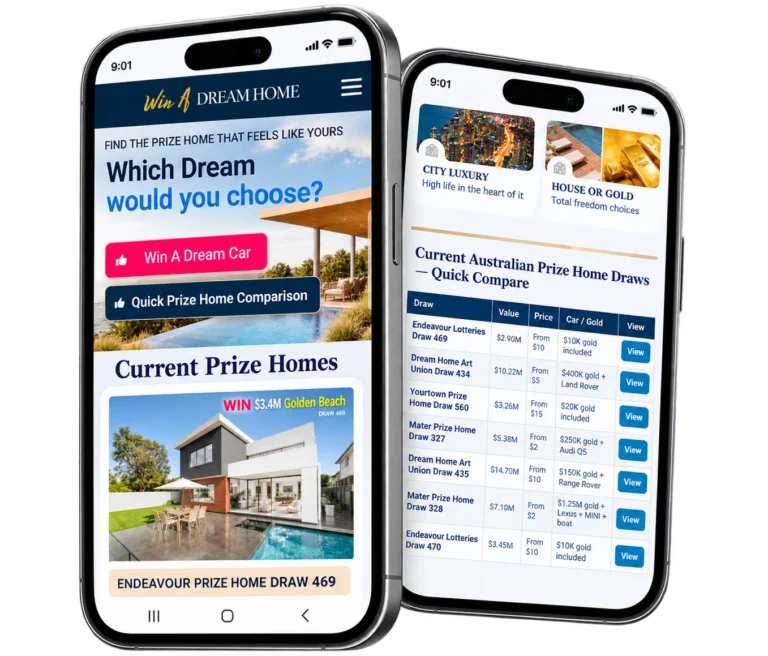
What you'll see when you open it
These are the prize homes open right now, exactly as they appear in the app.
Tap any home to see its page: the odds, what's in the prize and the official ticket link.
Add it to your phone
About a minute. Pick your phone below.
iPhone (Safari)
Works on any recent iPhone or iPad.
- Open winadreamhome.com.au in Safari (you're probably there already).
- Tap the ··· button next to the address bar. On older iPhones, skip to the next step.
- Tap Share .
- Scroll down and tap Add to Home Screen. Can't see it? Tap View More first.
- Leave Open as Web App switched on , then tap Add.
- The Prize Homes icon is now on your home screen. Tap it any time.
Using Chrome on your iPhone? It works there too: tap in the address bar, then Add to Home Screen.
Android (Chrome)
Samsung, Pixel, Oppo, Motorola and most other Android phones.
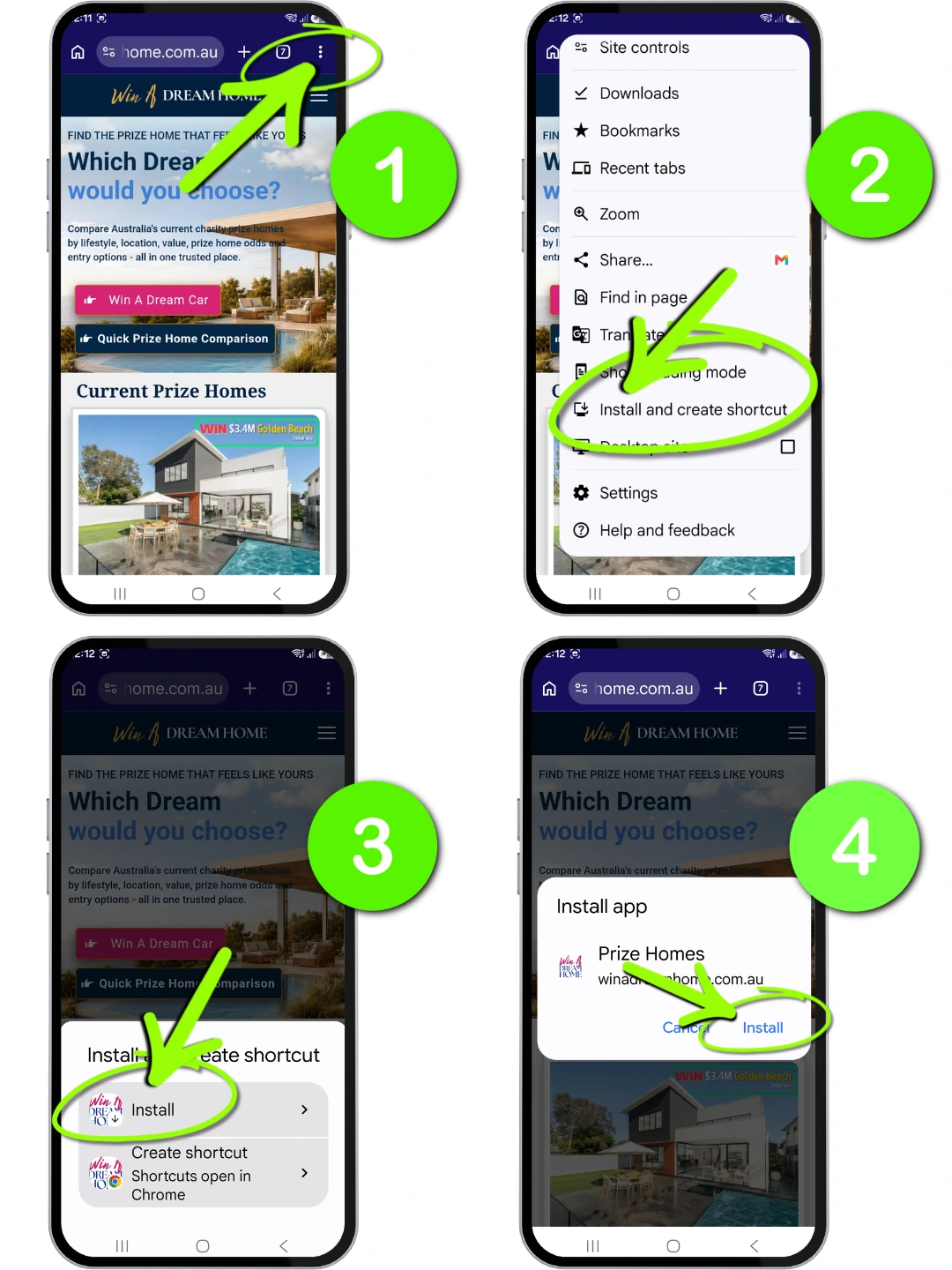
- Open winadreamhome.com.au in Chrome.
- Tap the menu ⋮ at the top right.
- Tap Install and create shortcut (on some phones it says Add to Home screen or Install app).
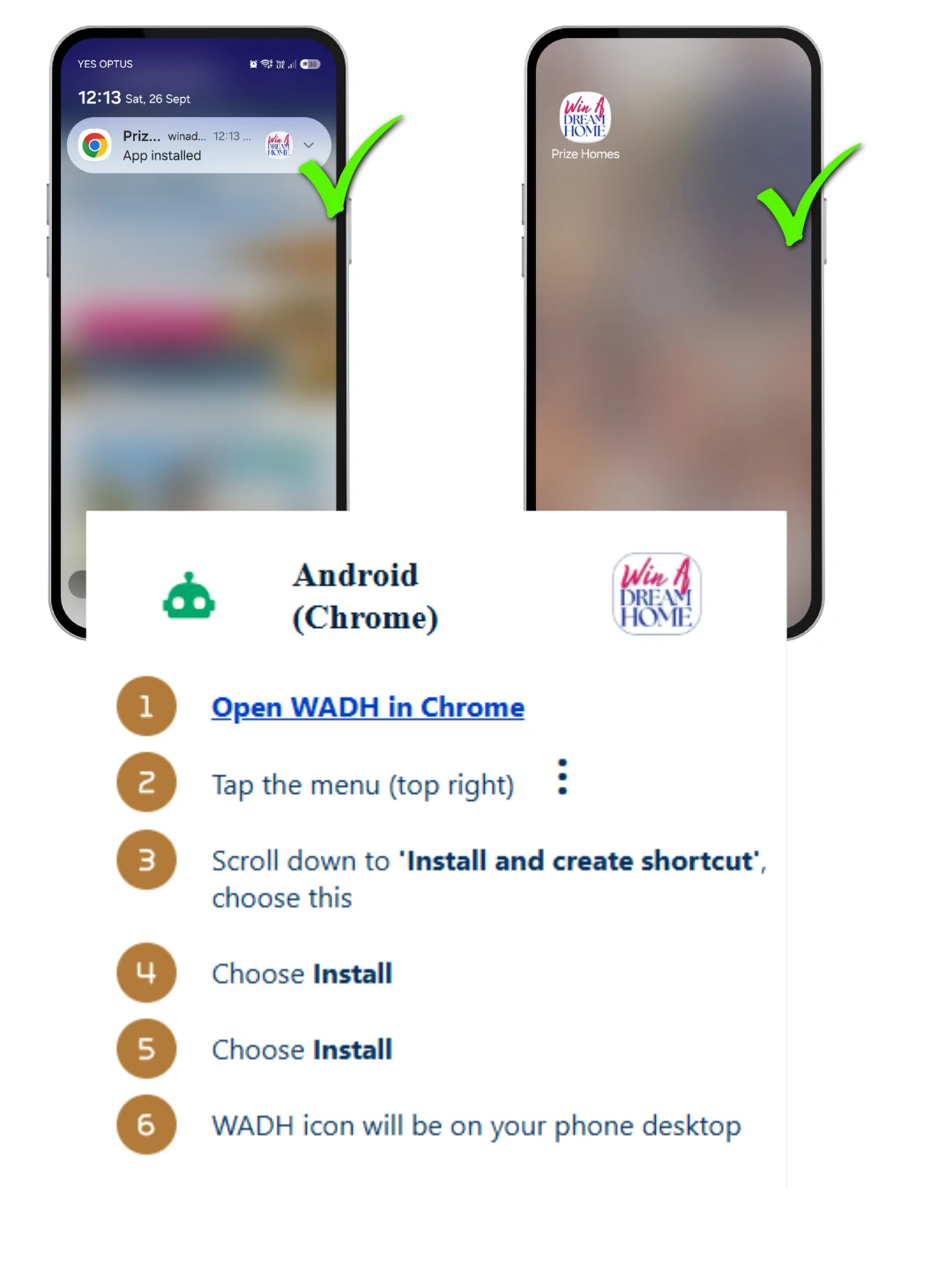
- Tap Install, then Install again on the pop-up.
- The Prize Homes icon appears on your home screen, and in your app list too.
Using Samsung Internet? Tap the menu ☰ at the bottom, then Add page to › Home screen.
Opened this page from Facebook or Instagram?
Facebook and Instagram open links in their own little browser, and it can't add apps to your home screen. One extra step fixes it.
- Tap the menu at the top right: ⋮ on Android, ··· on iPhone (it's next to the address, not the menu on our page).
- A menu slides up from the bottom. Tap Open in external browser (on iPhone it may say Open in Safari).
- This page opens in your normal browser. Now follow the iPhone or Android steps above.
Can't find it? Tap Copy link in that same menu (or the button below), open Chrome or Safari yourself, and paste it into the address bar.
Prize Homes app: your questions
Is the Prize Homes app free?
Yes. There's nothing to pay, no account to create and no email to give. You add it straight from your phone's browser in about a minute.
Is it a real app? Why isn't it in the App Store or Google Play?
It's a web app (sometimes called a PWA): our website saved to your home screen with its own icon, opening full screen like any other app. Because it comes straight from the website, there's no app store to search and nothing to update.
Does it take up space on my phone?
Hardly any. On iPhone it's a home screen icon that opens the site in its own window. On Android, Chrome installs a small app that opens the site, far smaller than a typical app from Google Play.
Will the app remind me when entries close?
Not on its own yet. For reminders, add our free prize home calendar (further down this page): every closing date and draw date goes into your phone's calendar, and your calendar reminds you.
Can I buy tickets in the app?
The app shows every draw with a link to that charity's own official ticket page. Tickets are always bought from the charity itself, so you pay them directly.
Why can't I see "Add to Home Screen" or "Install"?
Usually because the page was opened inside Facebook or Instagram. Their built-in browser can't add apps, so use the menu to open the page in Safari or Chrome first (see "Opened from Facebook?" above). Private or incognito tabs can also hide the option.
How do I remove the app?
Press and hold the Prize Homes icon. On iPhone tap Remove App, then Delete. On Android tap Uninstall (or drag the icon to Uninstall). It's gone in seconds, and the website still works as normal.
Is the app always up to date?
Yes. It opens the live Win A Dream Home site every time, so new draws, closing dates and winners appear as soon as they're on the site.
Never miss a closing date
Add every prize home closing date to your phone's calendar in one tap. New draws appear by themselves, and each date has a direct link to get tickets before it closes.
Other prize homes open now
Compare before you buy. These draws are still open.

Yourtown Draw 561: Buderim prize home, Sunshine Coast
Winner drawn Fri 20 Nov

Endeavour Draw 470: Mooloolaba prize home
Winner drawn Thu 17 Dec
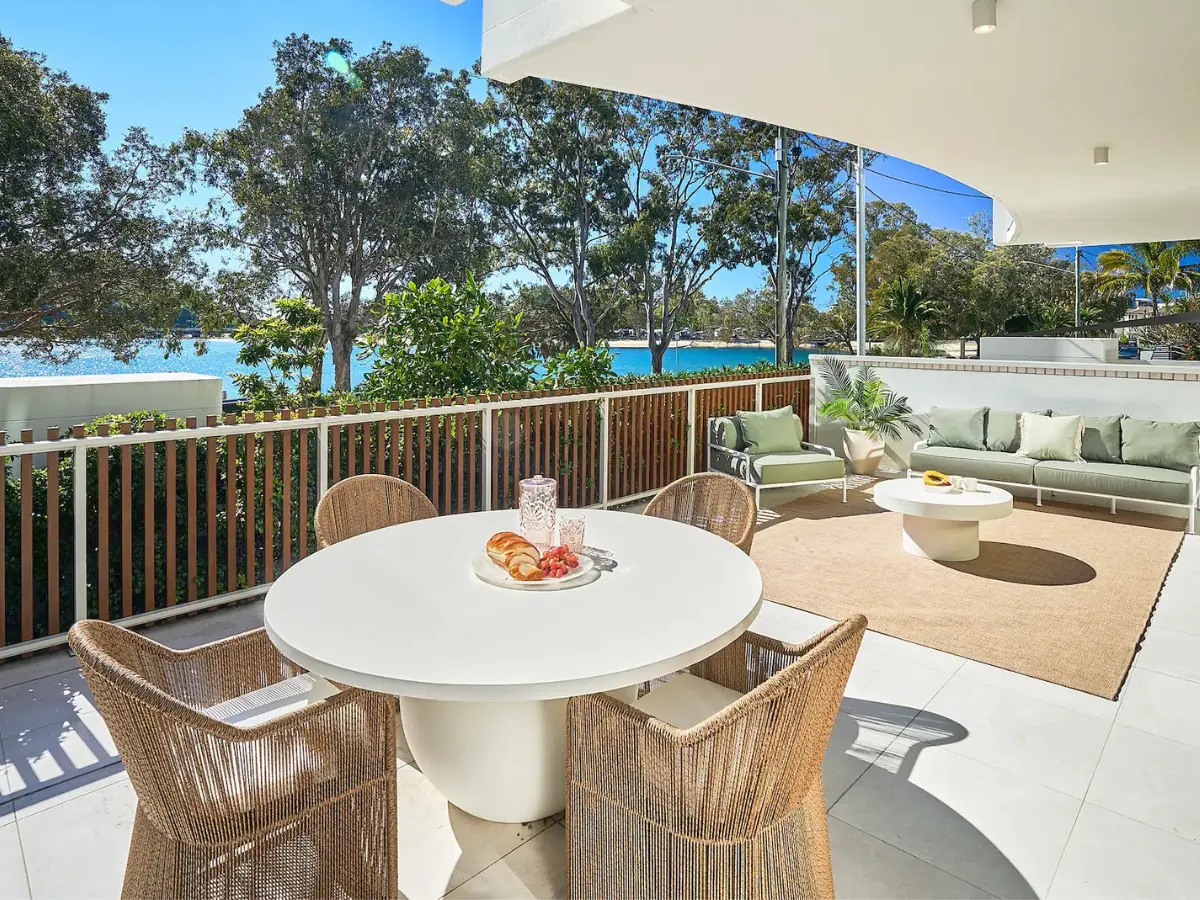
Dream Home Art Union Draw 435: Palm Beach prize home
Winner drawn Thu 17 Dec

Mater Draw 328: Helensvale prize home, Gold Coast
Winner drawn Thu 24 Dec
We never sell tickets. Every ticket link goes to the official charity site, and we may earn a commission at no extra cost to you. 18+ only. Only spend what you'd be happy to donate. Need help? National Gambling Helpline 1800 858 858. Disclaimer and affiliate disclosure.